Fix Ultrawide Screen Sharing on Mac
Works with meeting apps that support window sharing, including Teams, Slack, Webex, Google Meet, and Discord.Sharing a 34", 38", 49", or larger ultrawide monitor can make everything look tiny to viewers. RegionMirror lets you select a readable part of your Mac screen and share that region as a normal window.
Free 7-day trial · $19.99 one-time purchase · macOS 13.5+
Full-screen sharing makes an ultrawide monitor hard to read
When you share an entire ultrawide display, people in the meeting often see a scaled-down version of your whole desktop. Text, code, spreadsheets, dashboards, and browser tabs can become hard to read, especially for viewers on laptops.
- Full-screen sharing makes everything too small
- Changing display resolution disrupts your workflow
- Resizing windows before every call wastes time
- Window sharing may not show the exact area you want
- Private or unrelated parts of your desktop may be visible
Share a readable region instead of your entire display
RegionMirror creates a separate Mac window that mirrors only the screen region you select. Instead of sharing your whole ultrawide display, share the RegionMirror window and give viewers a focused, readable view.
If you often present from the same area of your ultrawide display, RegionMirror can remember that selection for next time — set your share area once and reuse it.
Three steps to a readable ultrawide screen share
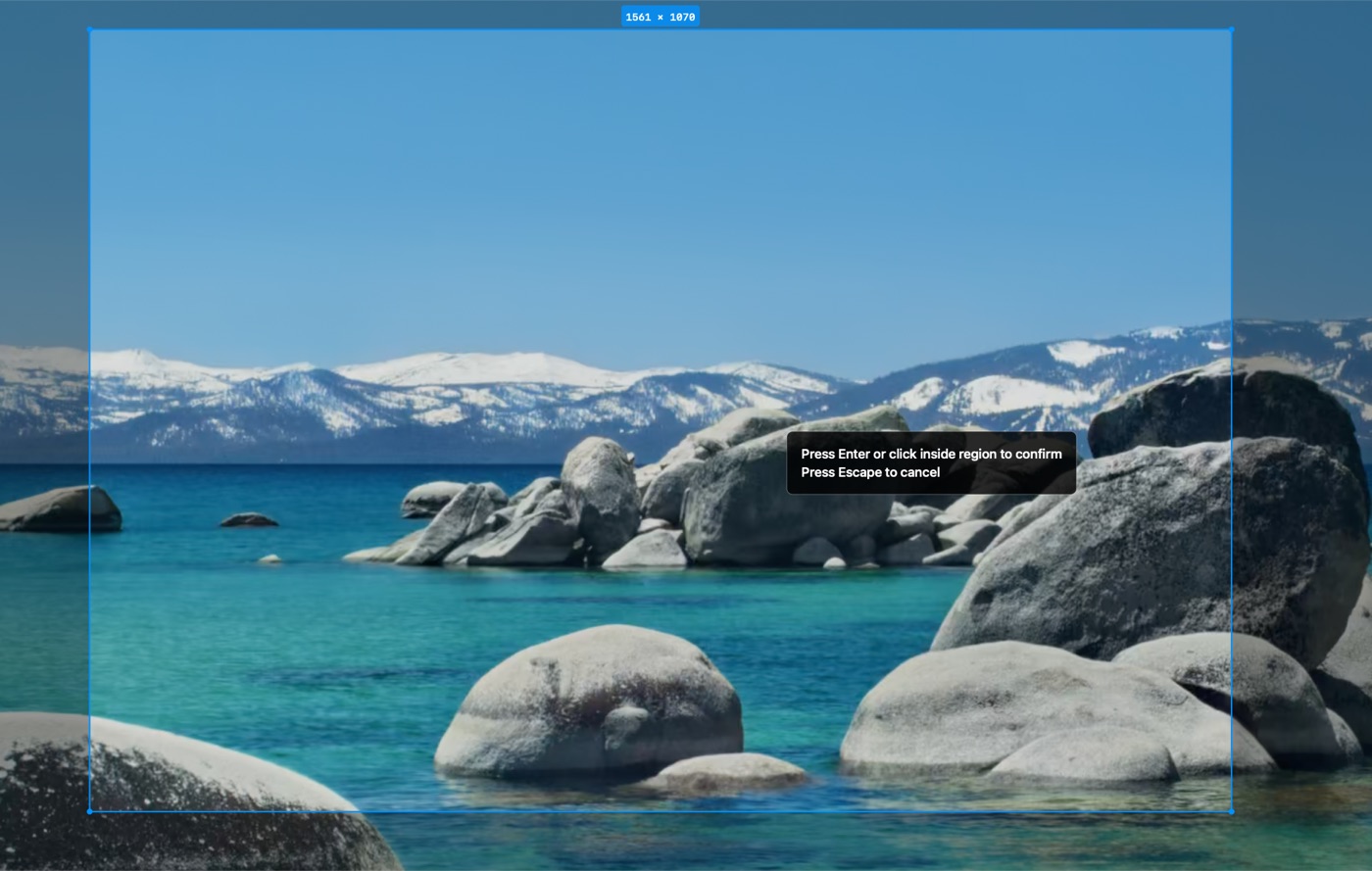
Select the part of your Mac screen you want to show
Drag out a readable area of your ultrawide display — the exact section your audience needs to see.
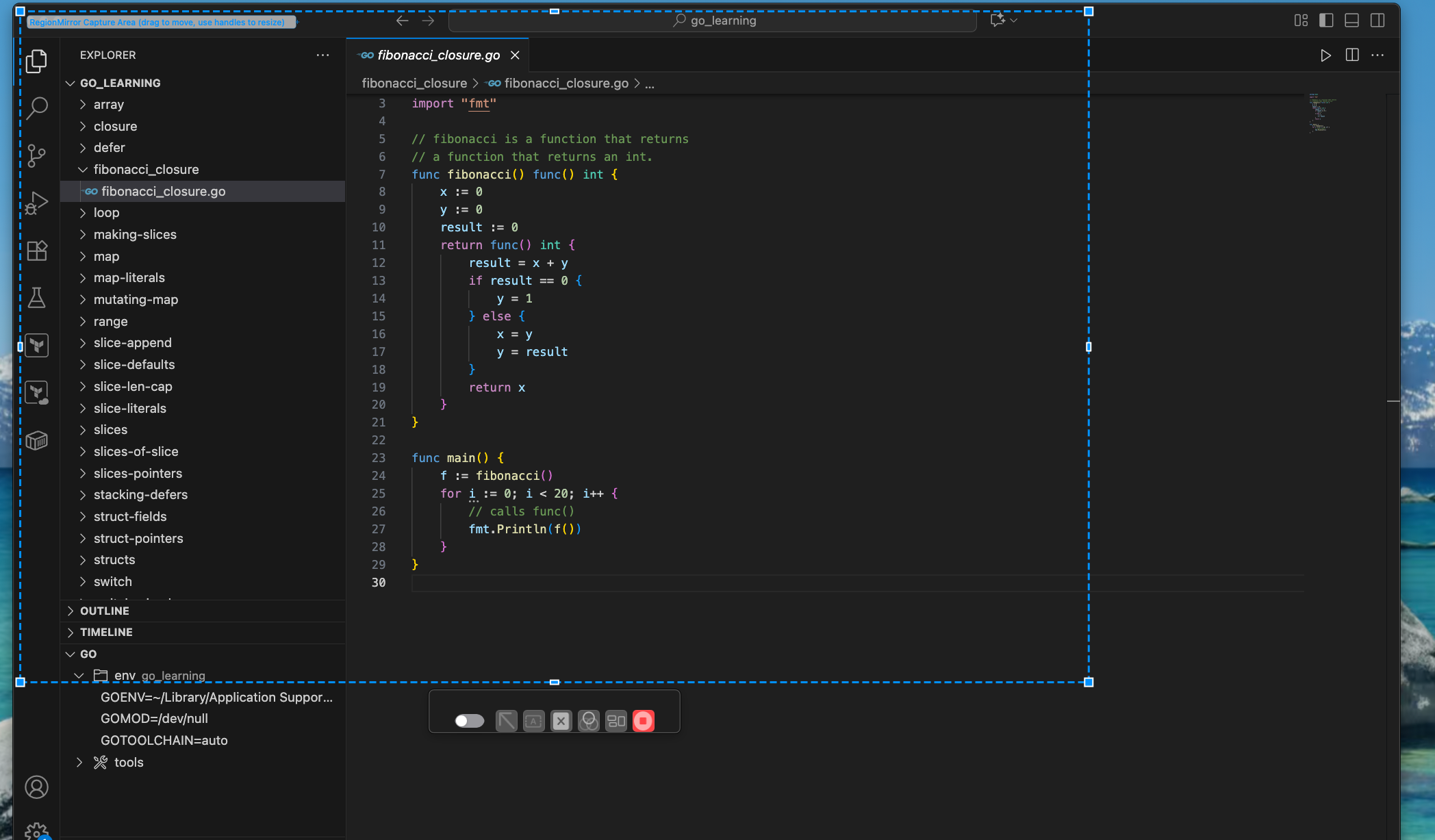
RegionMirror mirrors that selected portion into its own window
The selected region appears in a normal macOS window that you can resize or move at any time, without stopping the share.
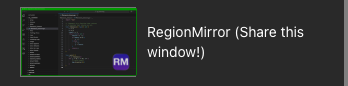
Share the RegionMirror window in your meeting app
Choose window sharing in Teams, Slack, Webex, Google Meet, or Discord and pick the RegionMirror window.
Ready to try it? Download RegionMirror and share a readable region on your next call.
Download Free on the Mac App StoreBuilt for the moments ultrawide sharing makes awkward
Reusing the same screen region
Regularly share the same part of your display? RegionMirror remembers your selected area, so you can start faster.
49" ultrawide monitor screen sharing
Share a readable region instead of a scaled-down 5120×1440 desktop.
Developer demos
Show code and terminal output at a size viewers can actually read.
Code reviews
Walk through a diff or pull request without shrinking every line.
Dashboard walkthroughs
Present analytics and reports clearly, without clutter around the edges.
Spreadsheet reviews
Keep rows and columns legible instead of squeezed into a tiny share.
Client presentations
Present a focused, professional view every time.
Training sessions
Keep instructional content readable for every attendee.
Remote support calls
Show exactly the area a teammate or customer needs to see.
Works with the meeting apps you already use
No meeting plugin required. Share the RegionMirror window using your meeting app's normal window-sharing feature.
Microsoft Teams
Share the RegionMirror window with Teams' normal window-sharing feature.
Slack
Share the RegionMirror window with Slack's normal screen-sharing controls.
Webex
Share the RegionMirror window with Webex's normal window-sharing feature.
Google Meet
Share the RegionMirror window like any other app window in Google Meet.
Discord
Share the RegionMirror window like any other app window in Discord.
And more
Any other app that supports window sharing works the same way.
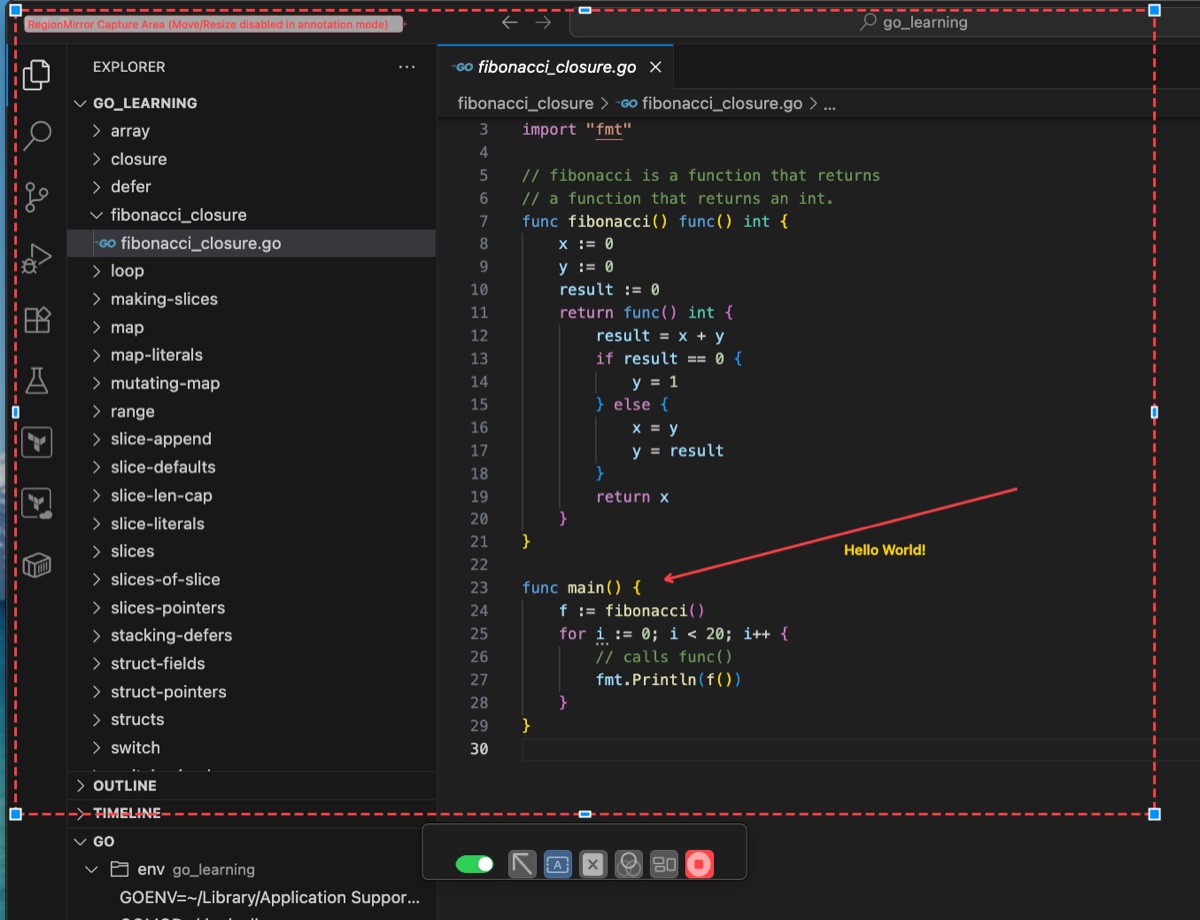
See a readable region in action
Keep your ultrawide workflow while sharing only the readable area your audience needs to see.
Make your ultrawide screen share readable.
Select a region, share the window, and let viewers actually read your screen.
Download Free on the Mac App StoreFree 7-day trial · $19.99 one-time purchase · macOS 13.5+
Questions, answered.
Why does screen sharing look bad on an ultrawide monitor?
When you share an entire ultrawide display, meeting apps often scale the whole screen down for viewers. That can make text, code, dashboards, and spreadsheets difficult to read.
How does RegionMirror help with ultrawide screen sharing?
RegionMirror lets you select a smaller, readable area of your Mac screen and mirror it into a separate window. You then share that window instead of your full ultrawide display.
Do I need to change my monitor resolution?
No. RegionMirror lets you keep your normal display resolution and share only the part of the screen you want viewers to see.
Does RegionMirror work with 49" ultrawide monitors?
Yes. RegionMirror is especially useful for large and ultrawide displays where full-screen sharing can make content look too small.
Which meeting apps can I use with RegionMirror?
RegionMirror works with apps that support normal window sharing, including Microsoft Teams, Slack, Webex, Google Meet, Discord, and others.
Can I reuse the same screen region for future meetings?
Yes. If you regularly share the same part of your ultrawide display, RegionMirror can remember the selected area so you can get started faster next time.